
-
Trigger Down: Sensitivity control for the sweep. This controls how quickly the re-triggering reacts to your pick attack.
-
Step: Adjusts the glide between steps. Low Modify settings produce sharp, stair-stepped transitions between steps. Higher Modify settings introduce a smoother glissando effect.
-
Random: Adjusts the glide between steps. Low Modify settings produce sharp, stair-stepped transitions between steps. Higher Modify settings introduce a smoother glissando effect.
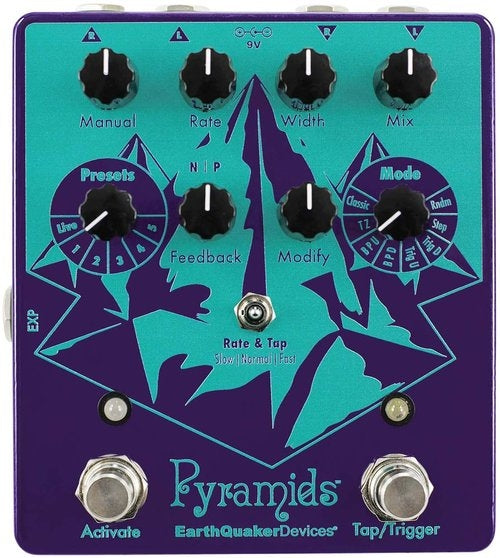
9. Tap / Trigger Footswitch: In Classic, Through-Zero, Barber Pole Up, Barber Pole Down, Step, and Random modes, this footswitch is a tap tempo control. In Trigger Up and Trigger Down modes, this footswitch triggers the effect whenever it is pressed.
10. Presets Rotary Switch: Selects between Live mode and one of five presets. Pyramids comes with our favorites programmed in, but you’re allowed to re-write them if you want. We don’t mind.
11. Mode Rotary Switch: Selects between Pyramids’ eight flanger modes